
 Desktop app · Windows
RedBill Note
A fast, private notes app for Windows — categories, tags, checklists, reminders, version history and Google Drive backup.
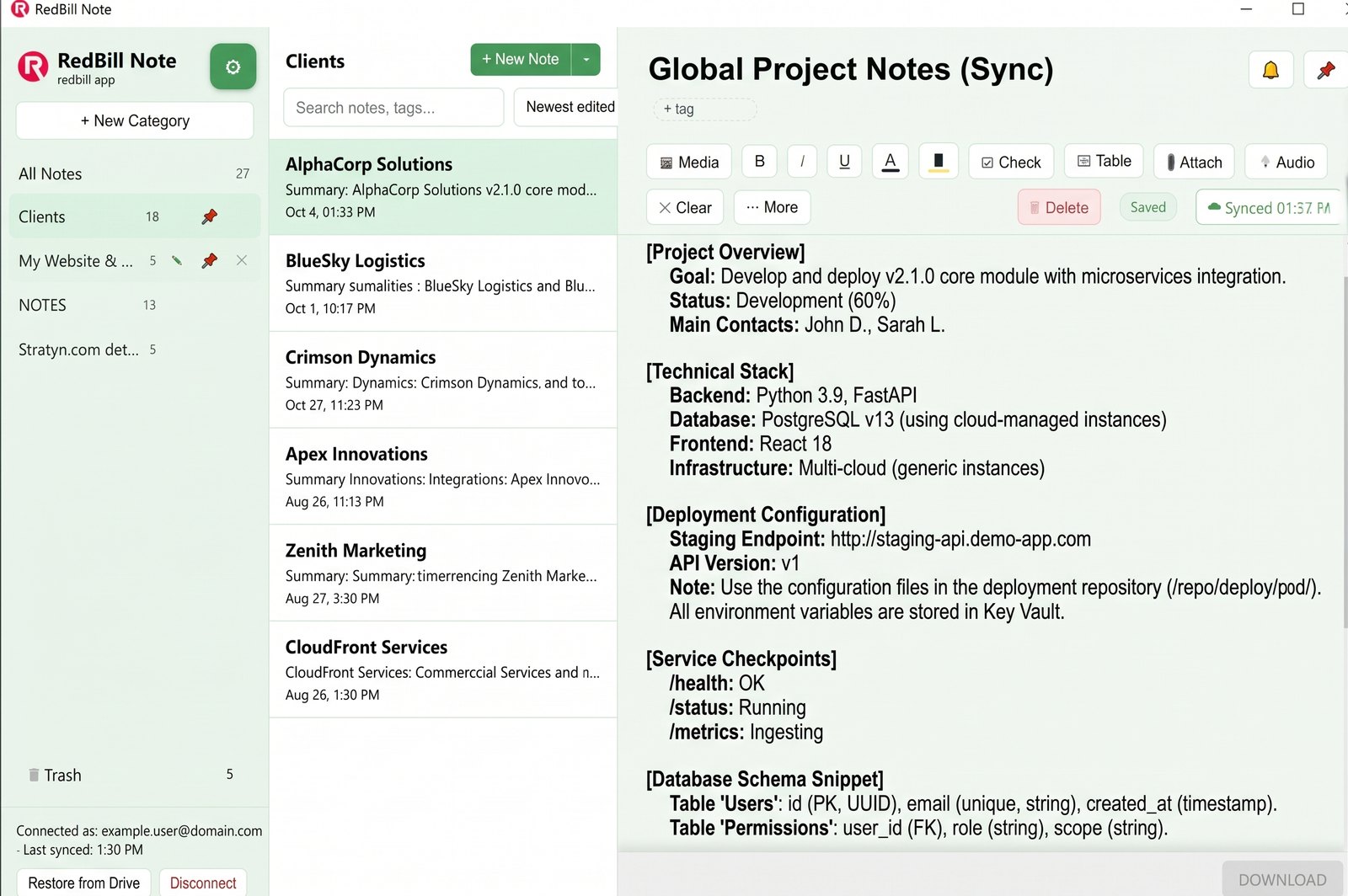
Everything you need to think, organize and remember.
Every feature below ships in the free download. Nothing is locked behind a plan.
Organize with categories
Group notes into unlimited categories. Pin the ones you use most and rename or reorder them any time.
Tags across categories
Label a note with as many tags as you like, then find it instantly by tag, even across categories.
Smart search & sorting
Search titles, body text and tags as you type. Sort by newest, oldest, A–Z, or show notes with media first.
Checklists
Insert clickable checkbox items. Tick one off and it is struck through, so progress is visible at a glance.
Tables
Drop in an editable table for schedules, price lists, comparisons or anything with rows and columns.
Markdown-style typing
Type "- " for bullets, "1. " for numbers, "# " for headings and **text** for bold. Formatting appears as you type.
Note templates
Start from Meeting Notes, a Daily Journal, a To-Do List or a blank page, so you never start from zero.
Version history
A checkpoint is saved about every 10 minutes while you edit. Browse earlier versions and restore any of them.
Quick note hotkey
Press Ctrl+Shift+N from anywhere on your PC to jot a note in a small window without leaving what you're doing.
Attach any file
Attach PDFs, documents, spreadsheets or any other file to a note and open it with one click.
Audio notes
Record a voice memo right inside a note, with a live timer, and play it back any time.
Images & video
Embed photos and clips in your notes. Large images are resized automatically so notes stay fast.
Export anywhere
Export any note as PDF, Markdown or plain text, ready to share, print or archive.
Trash & recovery
Deleted notes go to Trash and stay recoverable for 30 days before they are removed for good.
Reminders
Set a date and time on any note and get a native Windows notification when it is due.
Themes & PIN lock
Seven themes (Red by default). Optionally protect your notes with a PIN that is checked every time you open the app.
Google Drive backup
Every edit syncs to your own Google Drive automatically. Restore on a new PC in one click, with no third-party servers involved.
Up and running in under a minute.
Download the installer
One 78 MB .exe file from this page. Nothing else to fetch.
Run the installer
It installs for your Windows user only, so no administrator password is needed. Pick a folder or keep the default.
Start writing
Create your first category and note. Optionally connect Google Drive to back up every edit automatically.